> ## Documentation Index
> Fetch the complete documentation index at: https://docs.openpage.fun/llms.txt
> Use this file to discover all available pages before exploring further.
# Posting Updates
> Learn how to create and share community updates, announcements, and news with your OpenPage community members.
## Overview
Posting updates is a core feature that allows community administrators to share news, announcements, and important information with their community members. OpenPage provides an intuitive interface for creating engaging posts that can reach your entire community.
## Getting Started with Post Updates
### Accessing the Post Update Feature
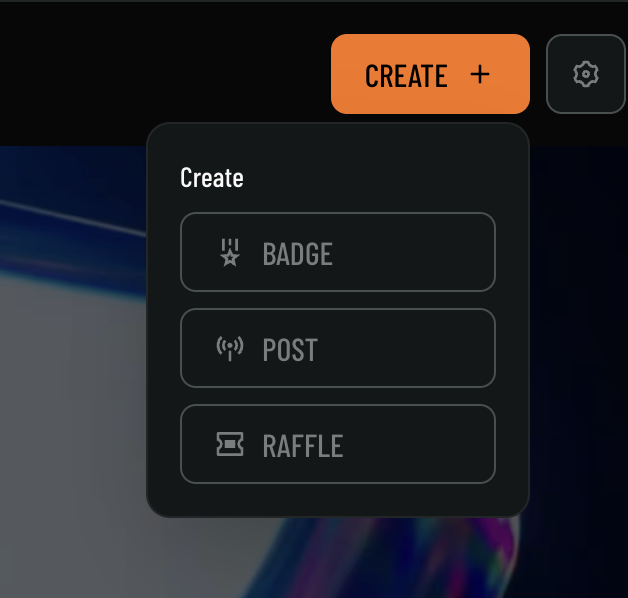
1. Navigate to your community dashboard
2. Click on the **CREATE +** button in the top navigation
3. Select **POST** from the dropdown menu
 ## Creating Your First Post
### Step 1: Open the Post Update Modal
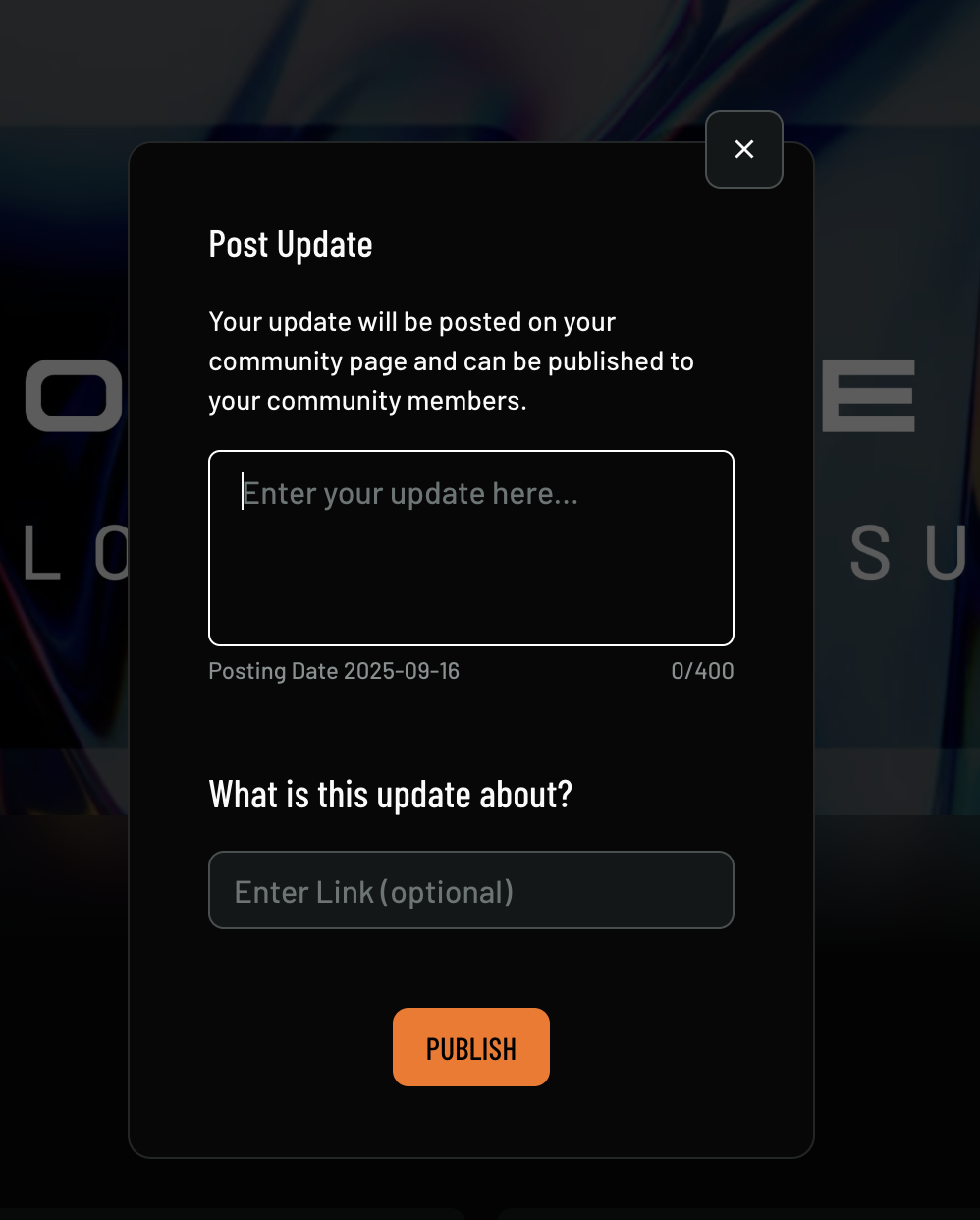
When you select **POST** from the create menu, the "Post Update" modal will open:
## Creating Your First Post
### Step 1: Open the Post Update Modal
When you select **POST** from the create menu, the "Post Update" modal will open:
 ## Post Update Features
### Text Updates
* **Character Limit**: 400 characters maximum for concise, impactful updates
* **Rich Text**: Support for basic formatting and emojis
* **Optional Links**: Include relevant URLs with your updates
### Visibility
* **Community Page**: Updates appear on your community's main page
* **Member Notifications**: Option to publish updates to community members (paid feature above 100 notifications)
* **Public Visibility**: Updates can be made visible to the broader OpenPage community
## Best Practices for Post Updates
* **Clear and Concise**: Use the 400-character limit effectively
* **Engaging Content**: Create updates that encourage member interaction
* **Regular Posting**: Maintain consistent communication with your community
* **Value-Driven**: Share information that provides value to members
* **Avoid Spam**: Avoid spamming members with updates that are not relevant or useful
## Support
Need help with posting updates? Check out our [support resources](/support) or explore our [API documentation](/api-reference) for programmatic update management.
## Post Update Features
### Text Updates
* **Character Limit**: 400 characters maximum for concise, impactful updates
* **Rich Text**: Support for basic formatting and emojis
* **Optional Links**: Include relevant URLs with your updates
### Visibility
* **Community Page**: Updates appear on your community's main page
* **Member Notifications**: Option to publish updates to community members (paid feature above 100 notifications)
* **Public Visibility**: Updates can be made visible to the broader OpenPage community
## Best Practices for Post Updates
* **Clear and Concise**: Use the 400-character limit effectively
* **Engaging Content**: Create updates that encourage member interaction
* **Regular Posting**: Maintain consistent communication with your community
* **Value-Driven**: Share information that provides value to members
* **Avoid Spam**: Avoid spamming members with updates that are not relevant or useful
## Support
Need help with posting updates? Check out our [support resources](/support) or explore our [API documentation](/api-reference) for programmatic update management.