> ## Documentation Index
> Fetch the complete documentation index at: https://docs.openpage.fun/llms.txt
> Use this file to discover all available pages before exploring further.
# Creating Raffles
> Learn how to create and manage raffles in your OpenPage community to engage members and distribute rewards fairly.
## Overview
Raffles are an excellent way to engage your community members and distribute rewards fairly. OpenPage provides comprehensive raffle creation tools that allow you to set up various types of raffles, manage entries, and conduct fair drawings with transparent results.
## Getting Started with Raffle Creation
### Accessing Raffle Management
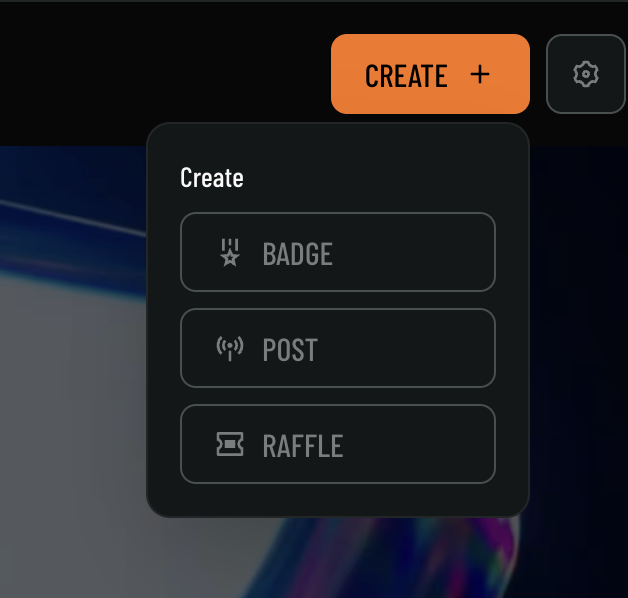
1. Navigate to your community dashboard
2. Click on the **CREATE +** button in the top navigation
3. Select **RAFFLE** from the dropdown menu
 ## Creating Your First Raffle
### Step 1: Select Raffle Type
OpenPage offers specialized raffle types, starting with **Badge Holder Raffles**:
## Creating Your First Raffle
### Step 1: Select Raffle Type
OpenPage offers specialized raffle types, starting with **Badge Holder Raffles**:
 #### Badge Holder Raffle
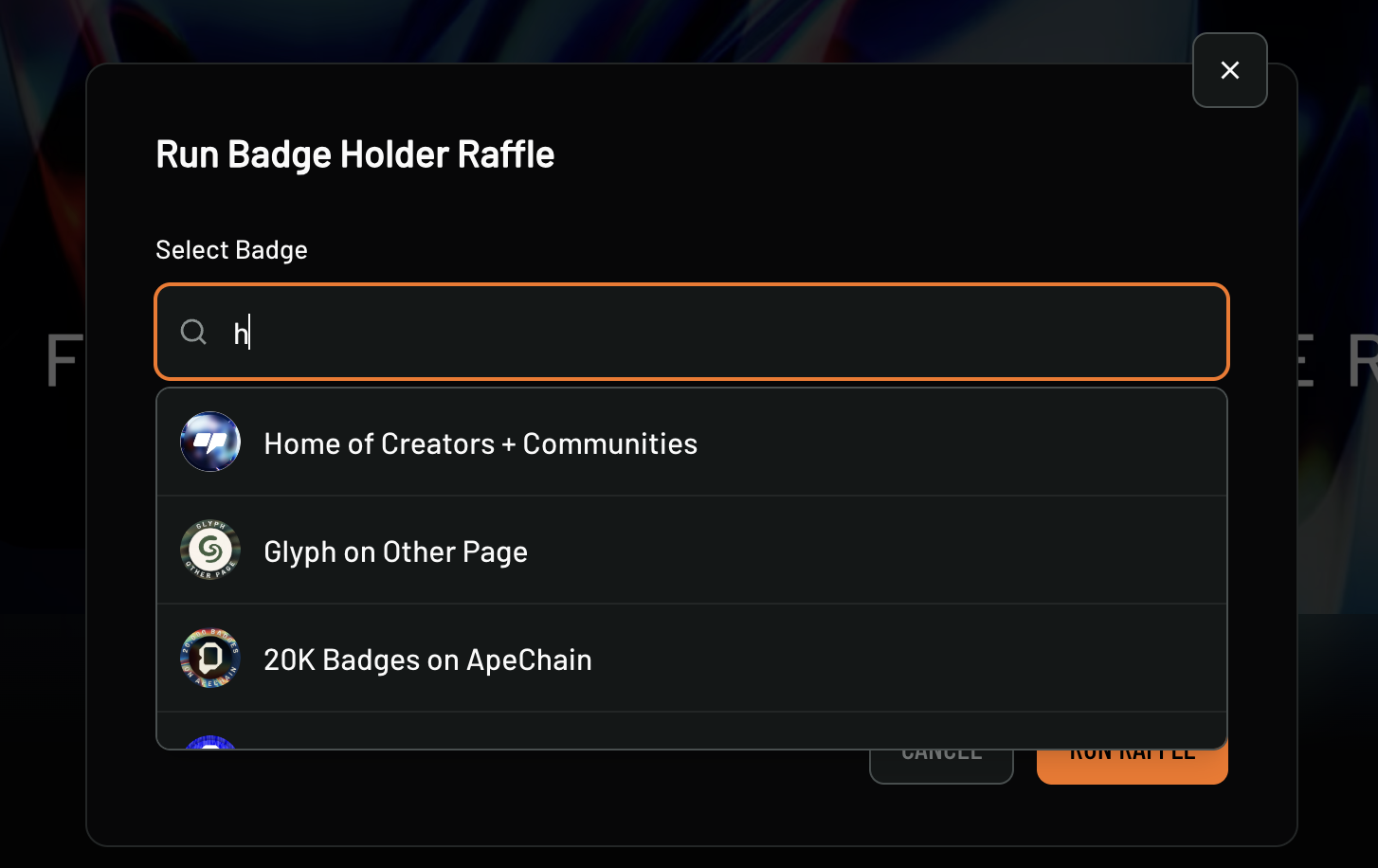
This raffle type is specifically designed for community members who hold specific badges:
**Badge Selection Process:**
1. **Search for Badges**: Use the search field to find specific badges
2. **Badge Select**: Select a badge to raffle to holders
#### Badge Holder Raffle
This raffle type is specifically designed for community members who hold specific badges:
**Badge Selection Process:**
1. **Search for Badges**: Use the search field to find specific badges
2. **Badge Select**: Select a badge to raffle to holders
 #### Winner Selection
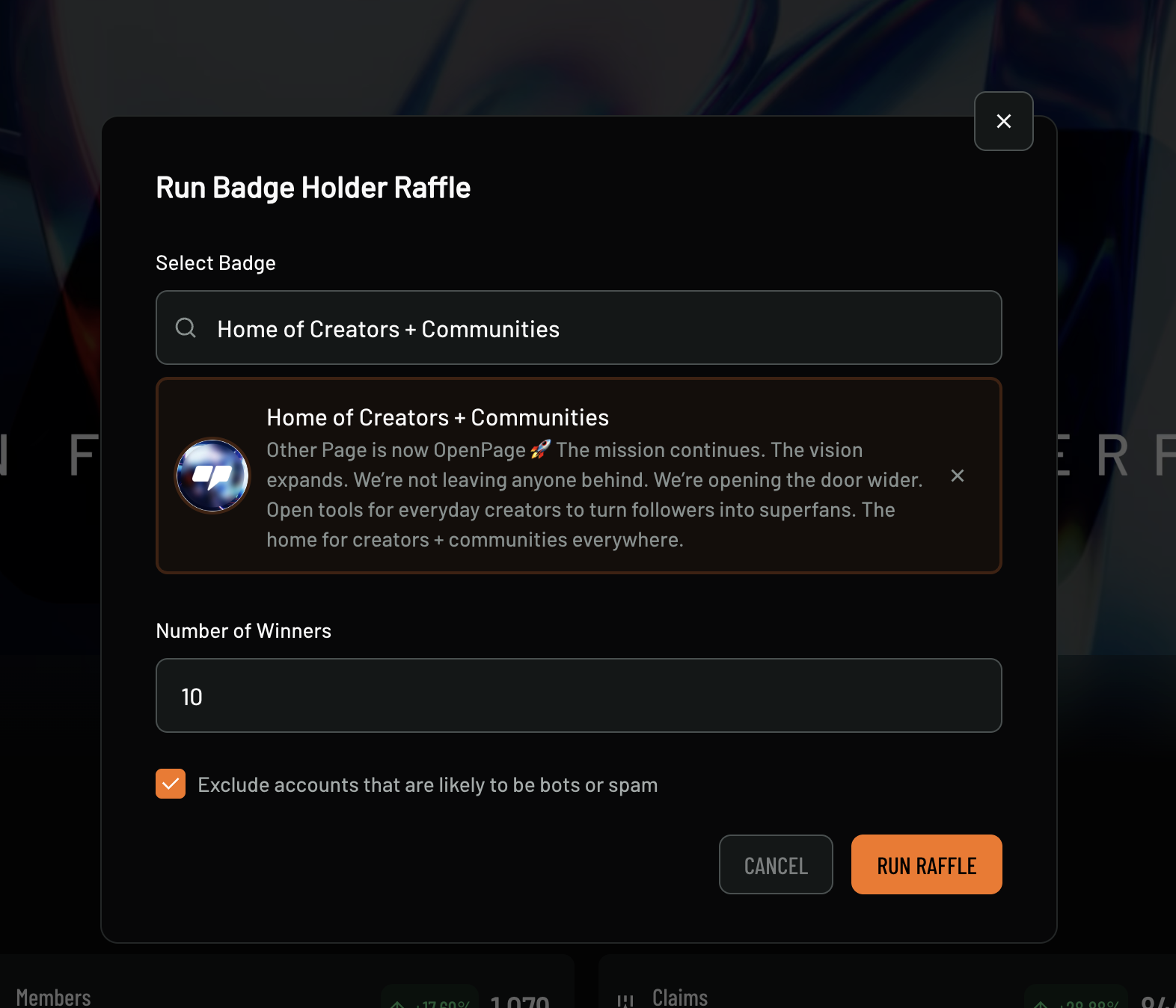
* **Number of Winners**: Set how many winners to select (e.g., 10 winners)
* **Badge Requirement**: Only members holding the selected badge can participate
* **Exclusion Settings**: Option to "Exclude accounts that are likely to be bots or spam"
## Best Practices
### Raffle Design
* **Clear Communication**: Make rules and requirements crystal clear
* **Fair and Transparent**: Ensure all members understand the process
* **Engaging Prizes**: Choose prizes that excite your community
* **Appropriate Difficulty**: Balance entry requirements with accessibility
### Community Engagement
* **Regular Raffles**: Maintain consistent raffle schedule
* **Variety**: Mix different types of raffles and prizes
* **Member Input**: Involve community in prize selection
* **Celebration**: Make winning announcements exciting and fun
## Support
Need help with raffle creation? Check out our [support resources](/support) or explore our [API documentation](/api-reference) for programmatic raffle management.
#### Winner Selection
* **Number of Winners**: Set how many winners to select (e.g., 10 winners)
* **Badge Requirement**: Only members holding the selected badge can participate
* **Exclusion Settings**: Option to "Exclude accounts that are likely to be bots or spam"
## Best Practices
### Raffle Design
* **Clear Communication**: Make rules and requirements crystal clear
* **Fair and Transparent**: Ensure all members understand the process
* **Engaging Prizes**: Choose prizes that excite your community
* **Appropriate Difficulty**: Balance entry requirements with accessibility
### Community Engagement
* **Regular Raffles**: Maintain consistent raffle schedule
* **Variety**: Mix different types of raffles and prizes
* **Member Input**: Involve community in prize selection
* **Celebration**: Make winning announcements exciting and fun
## Support
Need help with raffle creation? Check out our [support resources](/support) or explore our [API documentation](/api-reference) for programmatic raffle management.